fly through
code.
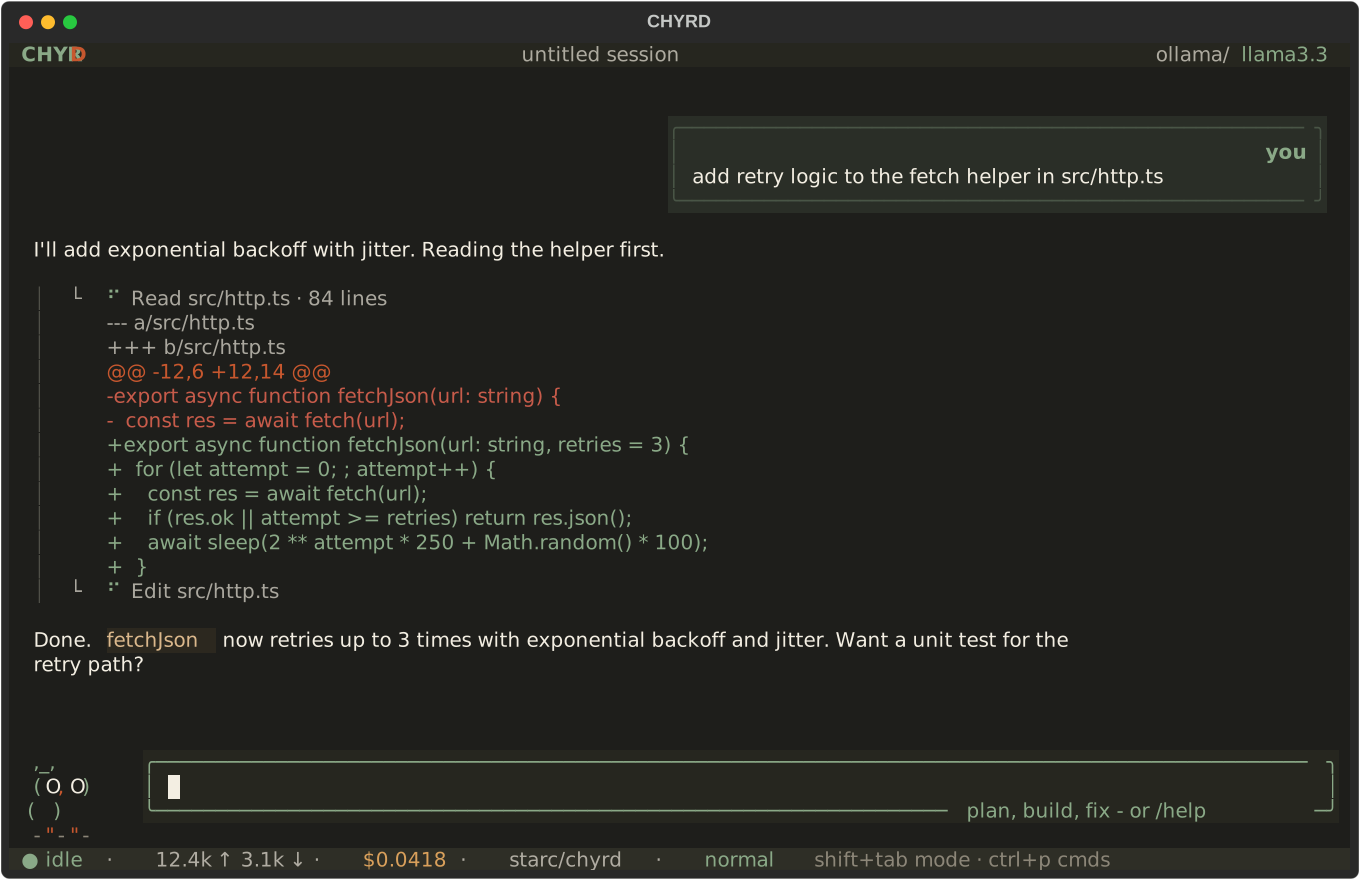
CHYRD is an AI coding agent in your terminal: one interface for 34 providers and 169+ models - hundreds more via live discovery - with MCP servers, per-turn undo, subagents, skills, and an unattended loop mode. Free to install and use.
$ pipx install chyrd,___, ( O,O ) ( v ) ---------"-"---------
what it looks like
what's inside
- 01
34 providers, 169+ models
Anthropic, OpenAI, Google, OpenRouter, Groq, GLM, Kimi, and twenty-seven more - and with a key set, providers like NVIDIA and OpenRouter list their FULL live model catalogs (hundreds) at startup.
- 02
MCP servers
declare any MCP server in config; every tool it advertises becomes a CHYRD tool, gated by the same permission system.
- 03
undo, per turn
every file mutation is journaled before it happens. /undo reverses the whole last turn - even a deleted directory.
- 04
permission modes
normal, accept-edits, plan, bypass - cycled live with shift+tab. The approval dialog shows the exact diff or command first.
- 05
subagents and skills
nested focused agents plus 15 expert playbooks, both defined as plain markdown files you can write yourself.
- 06
loop mode
chyrd loop runs unattended - one focused change per pass, and it halts itself after three failed passes.
- 07
sessions, headless, export
conversations persist as JSONL and resume exactly; chyrd run scripts it for CI; /export writes a transcript.
- 08
your shell, your context
prefix a message with ! to run a command yourself; the output is folded into the model's context automatically.
you decide how much to trust
four permission modes, cycled live with shift+tab.
- normalask before every mutating action - write, edit, shell, fetch.
- accept-editsfile writes and edits auto-approved; shell and fetch still ask.
- planread-only. mutating tools are refused with guidance; present a plan.
- bypasseverything auto-approved. move fast; nothing prompts.
bring whatever key you already have
Anthropic / OpenAI / Google / OpenRouter / Vercel AI Gateway / Poe / Groq / DeepSeek / xAI / Mistral / Together / Fireworks / Moonshot / Cohere / Qwen / Z.AI / MiniMax / Perplexity / AI21 / Inception / DeepInfra / Novita / Nebius / SiliconFlow / Hyperbolic / GitHub Models / Cerebras / NVIDIA / SambaNova / Hugging Face / Chutes / Ollama / LM Studio / any OpenAI-compatible URL
green = a genuinely usable free tier. Ollama and LM Studio run keyless on localhost. Keys come from environment variables or /keys inside the app.
compared, honestly
the others are excellent tools; this is exactly where they differ. ● yes, ○ no.
| CHYRD | OpenCode | Gemini CLI | Claude Code | |
|---|---|---|---|---|
| Providers | all | many | one | one |
| Local models (Ollama) | ● | ● | ○ | ○ |
| MCP servers | ● | ● | ● | ● |
| Skills library | ● | ○ | ○ | ● |
| Subagents | ● | ● | ○ | ● |
| Permission modes | ● | ● | ● | ● |
| Undo file changes | ● | ○ | ○ | ● |
| Loop mode | ● | ○ | ○ | ○ |
| Price | free | free | free | paid |
providers: all = every major API plus local and custom endpoints; many = a broad hosted set; one = a single vendor (Google / Anthropic).
install
pipx install chyrd        # recommended: isolated, on your PATH
pip  install chyrd        # into the current environment
uv   tool install chyrd   # if you use uv
Python 3.10+. Windows, macOS, Linux. No key at all? Serve a model with ollama on localhost:11434 and just run chyrd - fully keyless. To use the Claude Code engine as a backend (chat-only - CHYRD's tools stay off there):
pipx install "chyrd[claude]"
chyrd --model claude-agent/sonnet     # uses ANTHROPIC_API_KEY
full documentation - keys, keybindings, configuration, every command.